

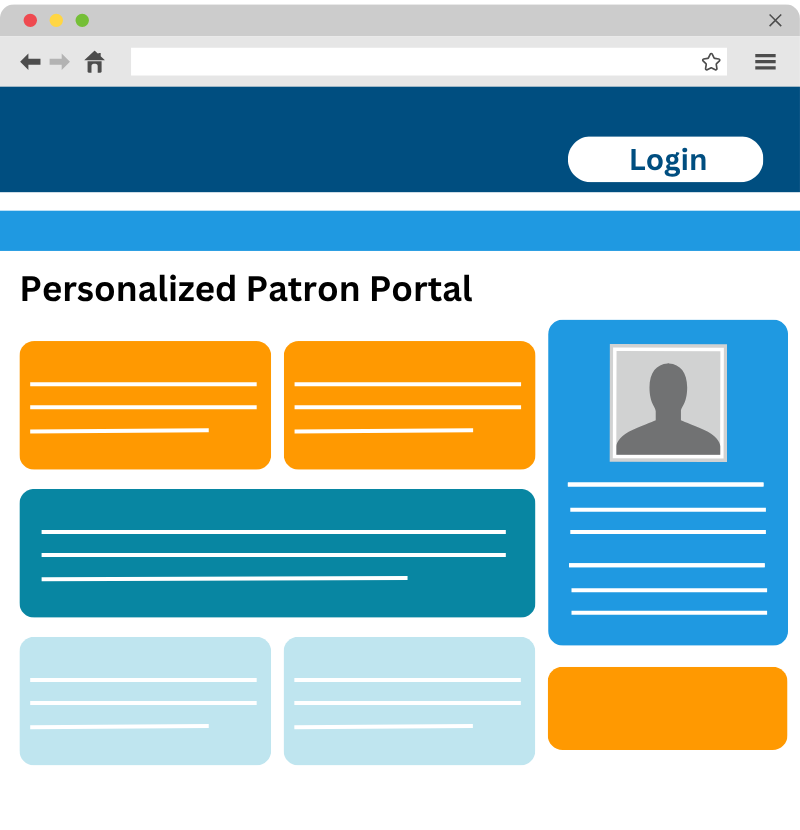
Personalized Patron Portal
A customized portal for every patron, filled with relevant library resources.
The Personalized Patron Portal greets every patron with a dashboard built around who they are – their account, their resources, their updates. And priced so any library can afford it.
Key Features
- One Login, Real Personalization – A single sign-on gives patrons access to a dashboard built around their needs.
- Relevant Resources, Instantly – Deliver content that speaks directly to each user group, so patrons find what they need faster.
- ILS Account Access – Connect with your ILS to display checkouts, holds, and renewals, personalized for the logged-in user.
- Springshare Tools, Together in One Dashboard – LibCal, LibAnswers, LibGuides, and LibConnect personalized to each patron and just a click away.
Drop It Into Any Website
The Personalized Patron Portal isn't locked to one platform. Add a login button anywhere patrons already visit – your LibGuides, your library's existing website, a microsite, even a standalone landing page. No redesign, no migration, no starting from scratch. Just place the button and let the Portal do the rest.
Simple to Set Up, Built to Last
Most personalization tools come with a long list of technical requirements. The Personalized Patron Portal doesn't. It's quick and easy to set up – no developer required – so libraries can get a fully functional, branded portal live and ready for every patron who logs in from day one.
Flexible By Design
Whether you're a single library or a multi-library system, the Personalized Patron Portal scales to fit. Give every patron type – students, faculty, adult patrons, teens – their own dashboard experience, all from one setup.
Personalized Content Based on User Types
The Personalized Patron Portal recognizes each user's type and shows content built specifically for them. In an academic setting, that might mean distinguishing between faculty, undergraduates, graduates, and alumni. For public libraries, it could be adult, youth, or senior user types. User type setup is fully flexible, so it can be configured to match however your library organizes its patrons.
Libraries can configure the Patron Portal to lead with what matters for coursework: a database sublist matched to the student's major, their college's LibGuide, and a liaison librarian one click away for research help.
Graduate-level research calls for deeper resources. The Patron Portal can be set to surface a specialized database sublist, a thesis and dissertation guide, and direct contact info for the student's subject liaison.
Give faculty full access to research databases, a dedicated resources guide, and their department's liaison librarian – all without hunting through a general-purpose page.
Show adult patrons general-audience resources and library-wide guides – exactly what they came for, with nothing extraneous in the way.
Put guides and resources built specifically for younger patrons front and center, instead of burying them in an adult-focused layout.
.png?width=800&height=578&name=Personalized%20(1).png)
Patron-Friendly Library Resources Portal
The Personalized Patron Portal pulls key services and data into a single, easy-to-use dashboard – so patrons can easily manage their account, discover resources, and engage with library services.ILS Integration
Display real-time account information so patrons always know where they stand. From within the Portal, users can view their current checkouts and fines, manage holds, renew items, and pull up their library card – all powered by seamless ILS integration.
Relevant Guides & FAQs
Put the most useful resources front and center. Whether it’s the library catalog, library hours, or course reserves, patrons can jump straight to the tools they need. Add links for fee payments, interlibrary loan requests, and more.
Seamless LibCal Integration
Give patrons a clear view of their LibCal activity, all from one centralized dashboard. Patrons can:
- View upcoming room reservations and modify or cancel bookings directly from the portal.
- Keep track of event registrations that they’ve signed up for.
- Manage upcoming appointments, like research consultations, tutoring sessions, and more.
- See current Lending Hub checkouts and due dates for any equipment they've borrowed.

LibChat & Library Assistance
One-click LibChat integration connects patrons with a librarian or Chatbot in real time. Patrons can also submit LibAnswers help tickets or reference questions and track each request's status, all without leaving the Portal.
Customized A-Z Database Lists
Show a customized A-Z List based on the patron's user type, while keeping your full LibGuides A-Z Databases just a click away. Leading with a narrower view helps patrons find what's relevant to them faster, so everyone gets personalized resources.
Communication Preferences
Give patrons control over how the library reaches them. From within the Portal, they can update their email subscription preferences, choose whether to allow SMS communication, and revisit those preferences whenever their needs change.
Custom Page Alerts
Add banner alerts to the top of the Portal to notify patrons about anything that affects them – shown to everyone, or targeted to just one user type. For example, alert all patrons about a facilities issue that affects the whole library, or let just graduating seniors know their materials are due by a certain date.
An Affordable Way to Personalize Every Patron's Experience
The Personalized Patron Portal brings your ILS and LibApps tools together into a single experience – built around every patron type your library serves, quick to launch, with no developer required. And it's priced specifically with libraries in mind, delivering real personalization at a genuinely accessible cost.Ready for the Next Steps?
We'd love to share more info, examples of real-world usage, and organize a demo for you and your colleagues.